These are basically notes for my future self, but it may sort of work out for someone else, so here it is. I’m currently working on a project in which we obtain a large number of images all stored within a single folder. However, it would be ideal to store them on separate folders. The file names are like this export0_Lastname_FirstName_1.jpg, and there are several files per person.
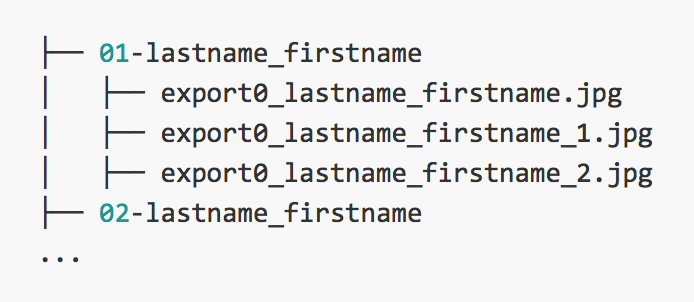
What I basically wanted, was to organize the mess of files into something like the following:
├── 01-lastname_firstname
│   ├── export0_lastname_firstname.jpg
│   ├── export0_lastname_firstname_1.jpg
│   ├── export0_lastname_firstname_2.jpg
├── 02-lastname_firstname
...
So I made a Python script to deal with it.
View group_by_person.py on GitHub
#!/usr/bin/env python3
# -*- coding: utf-8 -*-

# Import the necessary packages
import os
import re
import shutil

# Getting the list of people
personList = [f for f in os.listdir('.') if re.match(r'e.*\D\.jpg', f)]
personNames = [f.split("_") for f in personList]

# Getting the list of all jpg images
files = [f for f in os.listdir('.') if re.match(r'e.*\.jpg', f)]

# Getting existing subdirectories
# they start with ./01/
existing_dirs = next(os.walk('.'))[1]
N = len(existing_dirs)

# Iterate over all images to sort them per person
# and create a new folder if it does not already exist
for r in personNames:
    N+=1
    for f in files:
        if r[1] in f:
            NewDir = "{:2d}-{}/".format(N,r[1].replace (" ", "_"))
            if not os.path.exists(NewDir):
                os.mkdir(NewDir, 0o777)
            try:
                shutil.move(f, NewDir+f)
            except:
                print("The file does not exist.")
The personList line is done in such a way to get the unique number of people. This is done with the regex. Because there is a file that doesn’t end with a number, matching all files that begin with e, that don’t end with a number and .jpg, it serves as a list of the people for all the images in the directory. In the next line we build a list of the names of each person. This is later used to match and sort each file to its corresponding folder.
Because I had already created some directories, I could have the new directories start at 01. So I use os.walk to get the list and len(N) the number of existing directories. The directories to be created should start at N+1.
The outer-most loop iterates over every single person name, and then matches it the existing image files in the folder. When a match is found it creates a directory, if it does not exist. Then it moves file to the newly created folder. If the file doesn’t exist it prints the error, but it continues. And voilà that’s it. Just a quick tip. Make a copy of your files before starting to manipulate them (you could end with corrupt or no data at all). And also, before moving/renaming files, try printing the variables first to see if that’s what you intend to do.