Group Images by Person

Group Images by Person

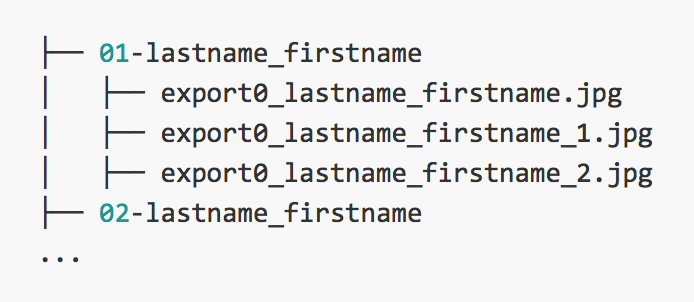
These are basically notes for my future self, but it may sort of work out for someone else, so here it is. I’m currently working on a project in which we obtain a large number of images all stored within a single folder. However, it would be ideal to store them on separate folders. The file names are like this export0_Lastname_FirstName_1.jpg, and there are several files per person. What I basically wanted, was to organize the mess of files into something like the following: ...
June 9, 2016 · 3 min · Andres Marrugo
Get Fridays

Get Fridays

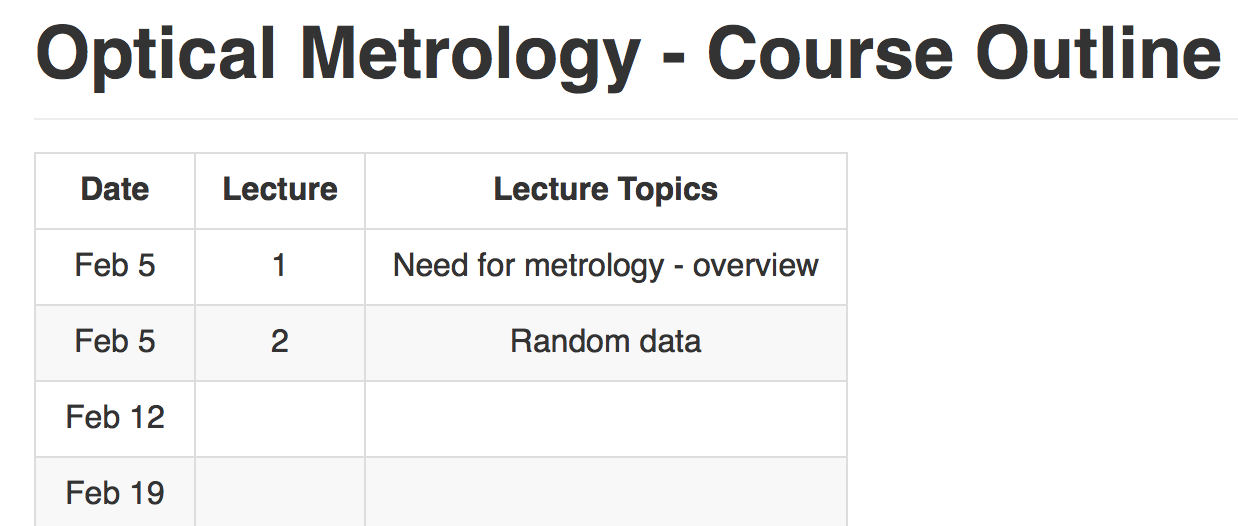
So, I was preparing my clases for the upcoming semester and I wanted to produce an outline of the lectures with the corresponding date and topic. For instance I have a class that’s once a week every Friday. I could look up the calendar and write every date, which is what I initially did. But then I though, I could write a script for this. And that’s when I entered the rabbit hole.1 ...

January 30, 2016 · 3 min · Andres Marrugo
Grades 2 CSV with Python.

Grading lab reports workflow

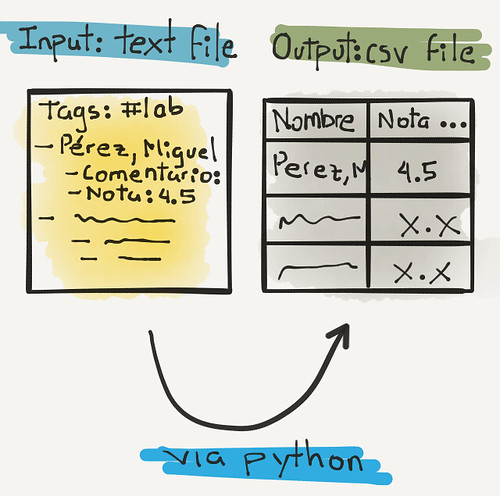
Despite all the tools and applications at my disposal, I like to write my comments, feedback and grade the lab reports I get from my students using plain text files. To be precise, markdown formatted plain text files md. I typically write in a plain text file using nvalt or textmate as my text editor. With the help of a TextExpander snippet I print out the class list and the other fields I must fill out, typically a general comment/feedback and the grade. The snippet produces something like this:1 ...

October 19, 2015 · 5 min · Andres Marrugo
Date Commands

Date Commands

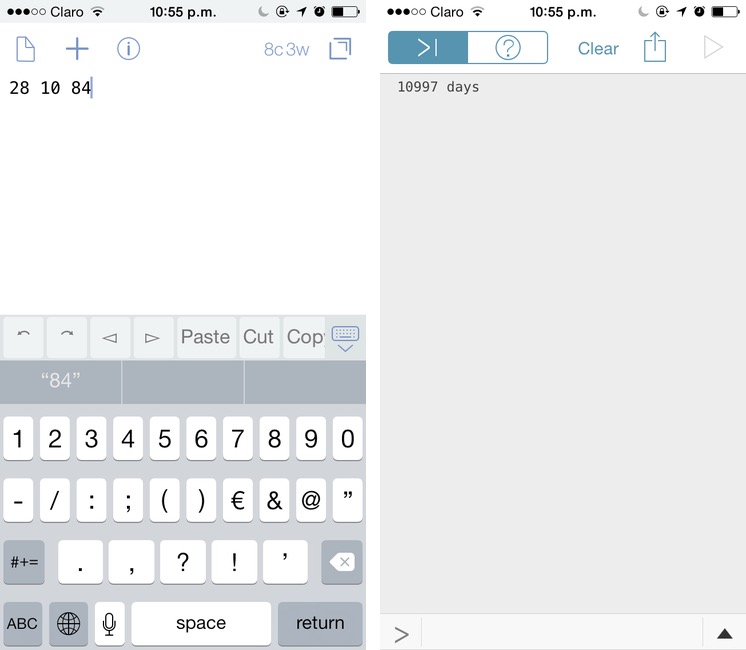
Dr. Drang recently shared two date commands he uses for: i) calculating how many days have passed since a given date, and ii) another that returns the day of the year of the current date. I was mainly interested in the first one because I often have to do that calculation.1 Because the script can also compute the days remaining until a future date, you can imagine how handy it can be. For instance, if I’d like to know how many days until the day I start my vacations, I just run the script with a future date and it’ll return a negative result in days. Or if I’d like to know how old I am in days. ...

December 7, 2014 · 2 min · Andres Marrugo
to-pdf-automator-script

Convert Image to PDF with Automator and Imagemagick

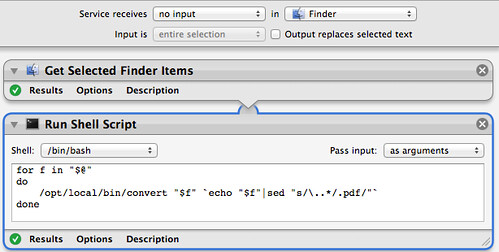
I often use Imagemagick for image manipulation1. However, for simple conversion of an image to another format or similar things I have to go to the terminal and type something like the following convert somefile.png somefile.pdf Which is quite simple, and much better than opening preview -> export2->select pdf-> and hit save. But typing that for more than one image is also tedious. So, I decided I’d better create a service that would essentially do the following. It would take the selected finder items, mainly images in png, jpeg, or whatever, and convert all of them to pdf. Simple. ...

October 18, 2012 · 2 min · Andres Marrugo